

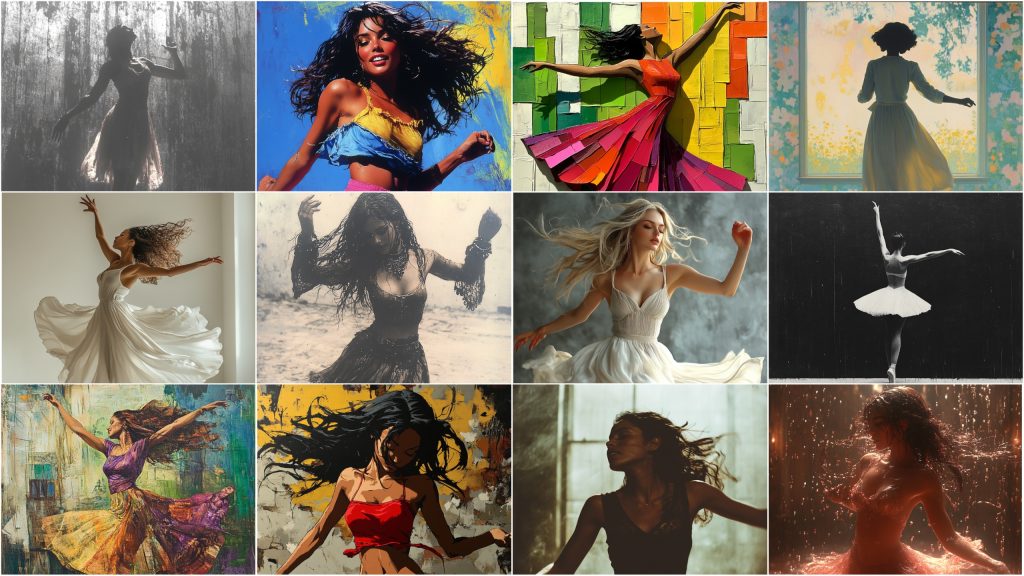
MidJourney and Style Reference Numbers (–sref)
MidJourney is an AI-driven tool that transforms text prompts into artwork. Midjourney has quite a few really impressive features, including the use of style reference numbers, which can be included in any prompt by using the parameter –sref #. These numbers let you shape the outcome of your image generation by applying a specific artistic style. These can include, but are definitely not limited to, various eras, mediums, movements, or visual aesthetics. With over 4 billion possibilities as well as the ability to call a random –sref #, there’s almost no limit to the customization options available. This guide will cover what style reference numbers are, how they function, and how to incorporate them into your creative projects. You’ll also find tips on some advanced techniques, examples of possible modification parameters, recommended best practices, and a history of the development cycle that led to these –sref #s. Let’s open Midjourney and start creating!
What Are Style Reference Numbers (–sref)
Style reference numbers (–sref) are an amazing customization tool on the MidJourney platform. Adding these to a prompt instructs the AI to generate images with more specific artistic styles. These numerical codes are closely connected to an extensive database encompassing various art styles and genres. When adding an –sref number to a prompt, users can significantly influence the final appearance of an image, ensuring it matches their creative intent. See the below image for an example of utilizing an –sref # that outputs an image in a fantasy art style.
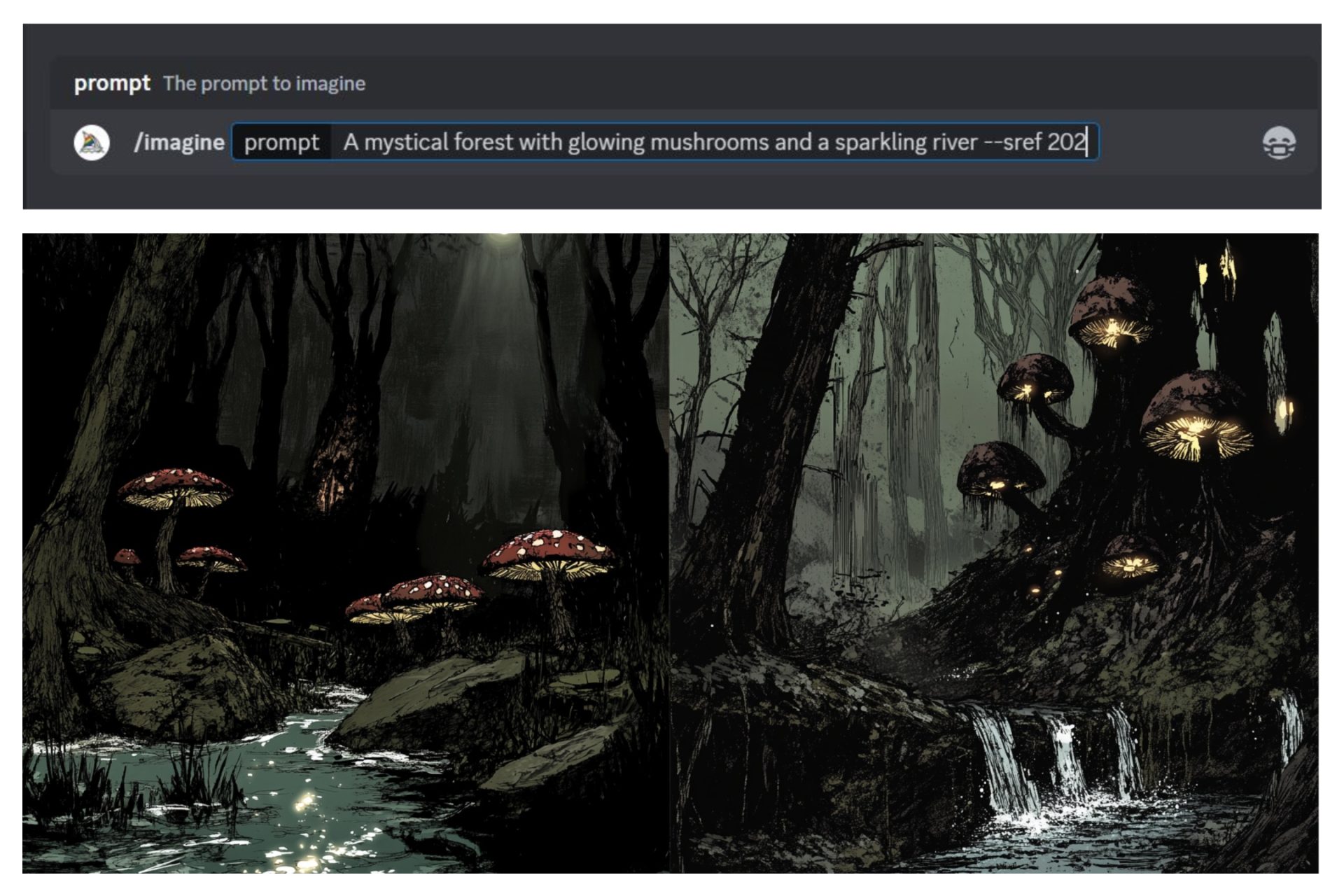 Images Top to Bottom – Image 1 – “example prompt using sref”, Image 2 – “resulting image”
How –sref Works
When a user inputs a text prompt, MidJourney’s AI examines the given information to produce an image. Including an –sref number within the prompt provides additional directives to the AI on how to output the final image. For example, a simple prompt such as “woman dancing” can yield remarkably individual outcomes depending on the added –sref number. Opting for –sref 104 might result in an active brush stroke oil painting style interpretation, while –sref 105 could shift the image toward a muted, darker, and more abstract art/painting style. This flexibility allows the user to achieve a more custom tailored and precise visual output, leading to generated images that match the artistic intent of the user.
Take a look at the following example, all 3 images were created with the exact same simple prompt “a woman dancing”.
- The first image is a photorealistic output from the prompt “a woman dancing”.
- The second and third images use the exact same prompt, but include the –sref #s that were previously noted. Image 2 was generated using the prompt “a woman dancing –sref 104”.
- Image 3 was generated using the prompt “a woman dancing –sref 105”.
As you can see, starting with a very basic prompt and utilizing an –sref # can result in very different stylistic outputs.
 Images Left to Right: Image 1 – “a woman dancing”, Image 2 – “a woman dancing –sref 104”, Image 3 – “a woman dancing –sref 105”
Basic Usage of –sref
Using an –sref # in your MidJourney prompts is very straightforward. Here’s a step-by-step guide:
- Create Your Prompt: Start with a description of the image you want to create. Generally you want to be e as detailed as possible, including elements like subjects, settings, and emotions. See our guide on Writing Midjourney Prompts.
- Add the –sref Code: After your description, type –sref followed by a space and the specific number that corresponds to your desired style.
- Generate the Image: Submit your prompt and wait for the AI to work its magic. The resulting image will incorporate the chosen style.
For example, making use of another simple prompt “a boy and his dog”, we can dramatically change the output using an –sref #. If you are looking for images in a sepia vintage style and reminiscent of a bygone era, you might specify a particular style reference number like –sref 193128832 to achieve that nostalgic feel. The following example shows this prompt with no stylistic direction, followed by the same prompt adding on –sref 193128832. Both image sets use the same prompt “a boy and his dog” but the second prompt uses “a boy and his dog –sref 193128832”. The differences in the resulting images are almost unbelievable.
 Images Left to Right: Image 1 – “a boy and his dog”, Image 2 – “a boy and his dog –sref 193128832”
Advanced Usage: Combining and Customizing Styles
MidJourney allows for more advanced usage of –sref by enabling the combination of multiple style reference numbers. This feature lets you create unique, hybrid styles that blend different artistic influences. As you become more comfortable with using multiple styles, you can also a weight to each style to determine how much each style will reference the final output.
Combining Styles
To combine styles, simply add multiple –sref numbers to your prompt with a space between them. The AI will merge these styles to create an image that incorporates elements from each. For instance, if you want a futuristic city skyline at night with a mix of cyberpunk –sref 108 and pop art –sref 114 elements, you can combine the respective –sref numbers to achieve that effect. As you become more comfortable with –sref codes and Midjourney, you can also begin to specify the weight that each style plays in the generation, allowing a fully customizable style that is repeatable on demand.
In the following example we show 3x variations of the same prompt. Each with progressively more stylization.
- The first image is a simple prompt “a futuristic city skyline at night”
- The second image uses the same prompt with a pop art style code “a futuristic city skyline at night –sref 114”
- The third image uses the same prompt but adds a second cyberpunk style code “a futuristic city skyline at night –sref 108 –sref 114”
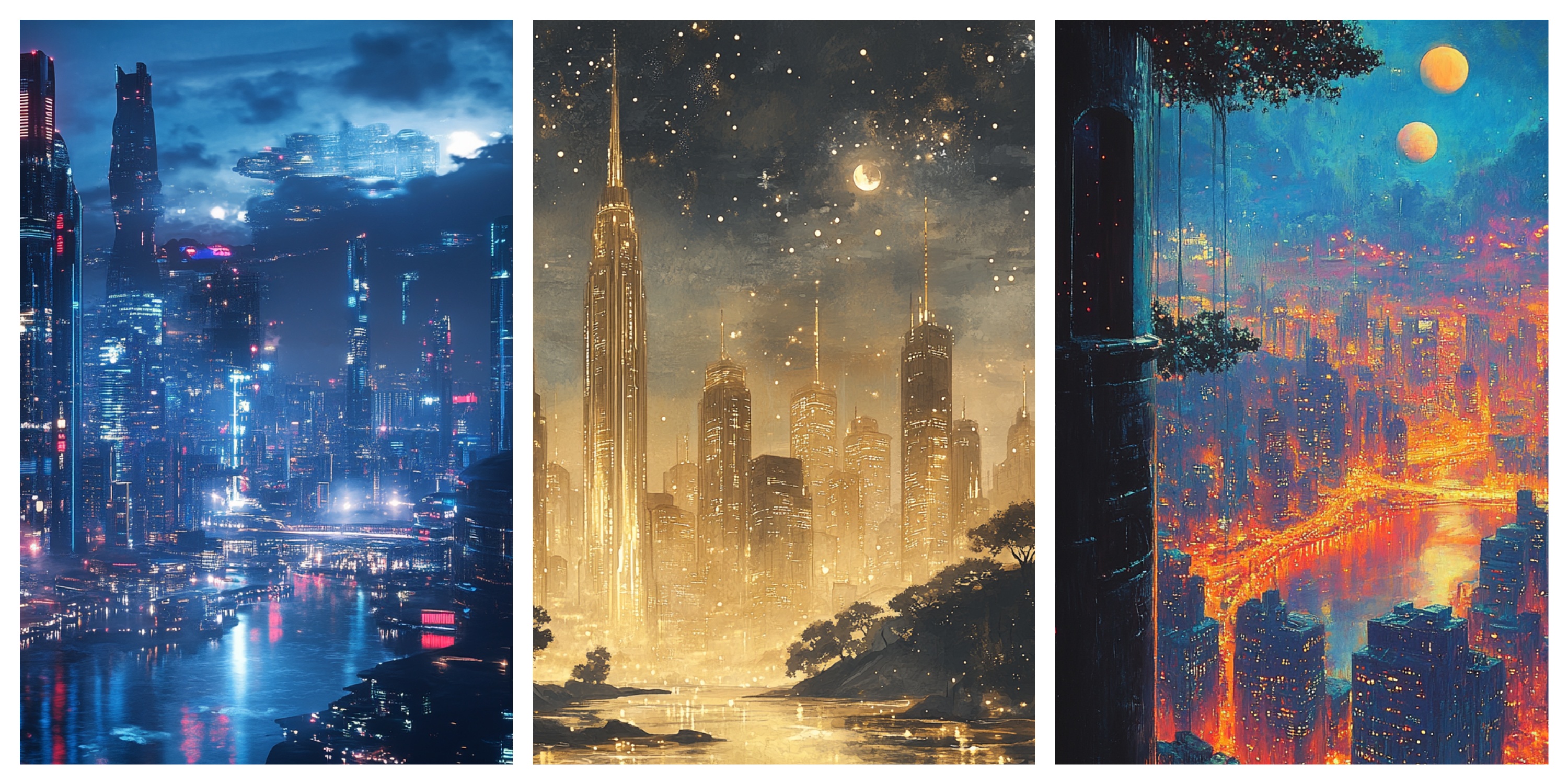 Images Left to Right: Image 1 – “a futuristic city skyline at night”, Image 2 – “a futuristic skyline at night –sref 114”, Image 3 – “futuristic skyline at night –sref 108 –sref 114”
Customizing with Parameters
MidJourney’s design capabilities include much more than just the use of –sref numbers; the platform also offers a variety of additional parameters to fine-tune visual outputs. Take a look at our Guide to Midjourney Parameters for a deep dive into available modifiers and how to use them. A few of these customizable settings go hand in hand with using an –sref #:
- Aspect Ratios (–ar #:#): Adjusting the dimensions of an image allows designers to create outputs for specific display requirements. By controlling the width-to-height ratio, images can be optimized for various platforms and devices.
- Style Weight (–sw #): This parameter influences how strongly an image adheres to a specific style. By adjusting the style weight, users can either amplify stylistic elements or adopt a more subtle approach.
- Stylize Settings (–stylize # or –s #): These settings control how closely the output aligns with traditional design aesthetics. Adjusting the stylization parameters can help achieve a balance between creativity and design norms.
- Chaos (–chaos # or –c #): This parameter introduces variability into the design. By incorporating an element of randomness, designers can generate unique, unpredictable visual results that stand out.
- Raw (–style raw): Direct and unprocessed, the raw setting produces an image without additional refinements. This can be beneficial for projects requiring a more unfiltered and authentic appearance. You can incrementally increase from this base line using –s 1 going all the way up to –s 1000
- Seed Numbers (–seed #): Utilizing specific seed numbers ensures reproducibility. By assigning a seed number, designers can generate the same image output consistently, which is invaluable for iterative work and collaborative environments.
When tasked with creating a surreal dreamscape featuring floating islands, designers might configure an aspect ratio that fits the desired display and reuse a specific seed number to guarantee consistent outcomes. The inclusion of chaos and style weight parameters can add exciting elements and a consistency to the base output.
The following example shows prompting with a variety of these settings to create an initial image that fits the description “dreamscape featuring floating islands”. Once we are happy with the output, we can save the seed for future reference, and include items like –sref 3844938906, a style weight –s 500, and stylize settings –stylize 1000. This is only the tip of the iceberg though, and it is recommended that users go through the detailed reference chart of Midjourney parameters.
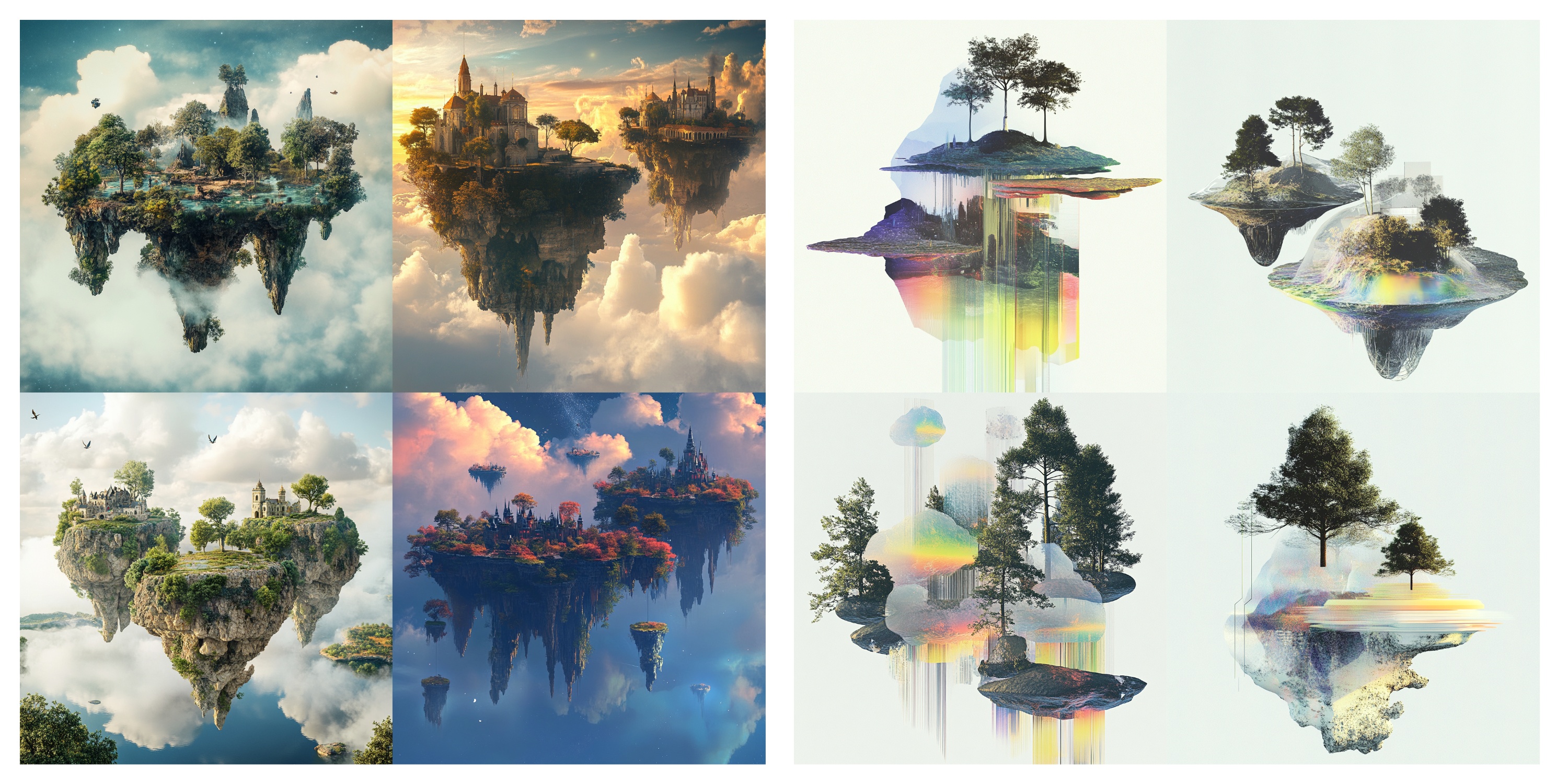 Images Left to Right – Image 1 – “dreamscape featuring floating islands”, Image 2 – “dreamscape featuring floating islands –sref 3844938906 –s 500 –stylize 1000”
Finding and Choosing the Right –sref Numbers
To effectively use –sref numbers, you’ll need access to a list of available styles and their corresponding numbers. These lists are often provided by MidJourney or its community and can include:
- Descriptive Tags: Keywords or phrases that describe the style (e.g., “Impressionist,” “Comic Book”).
- Sample Images: Visual examples of what the style looks like.
- Artist Inspirations: References to famous artists or art movements (e.g., “Van Gogh,” “Art Deco”).
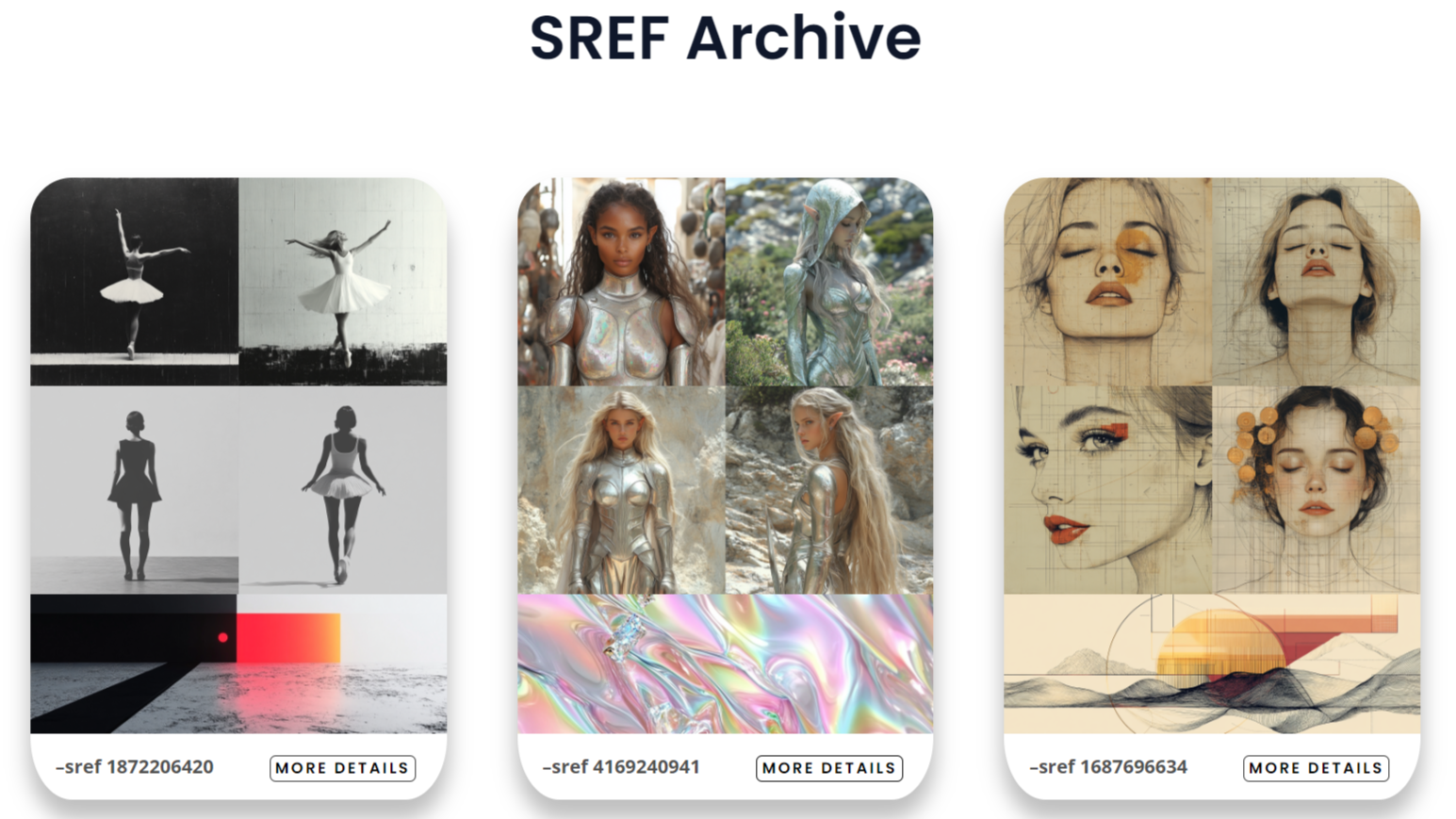
Our SREF Archive hosts a list of interesting and unique –sref #s that are regularly updated, have example image outputs, and are organized by relevant tags.
Tips for Selecting Styles
- Match the Mood: Consider the emotional tone of your image. A –sref representing a dark, gothic style might not suit a cheerful subject.
- Complement the Subject: Choose styles that enhance the subject matter. For example, a realistic style might be best for a detailed portrait, while an abstract style could be more suitable for conceptual art.
- Experiment and Iterate: Don’t hesitate to try different –sref numbers, combinations, or the random feature. The AI’s interpretation can vary, and sometimes unexpected combinations yield the best results.
Browse through our SREF Archive, find your favorites, and start experimenting!
Best Practices for Using –sref
To get the most out of –sref numbers, try the following best practices:
- Start Simple: If you’re new to MidJourney, start with a single –sref numbers before experimenting with combinations.
- Use Clear Descriptions: The more detailed your initial prompt, the better the AI can understand and execute your vision. Consider using a simple and short prompt, there a time when less really is more when it comes to image generation.
- Stay Updated: Style reference numbers and available styles may change. Check for updates and new additions to keep your work fresh.
- Engage with the Community: Joining forums or social media groups can provide inspiration and tips from other users.
- Document Your Favorites: Keep a record of your favorite –sref numbers and their effects. This can save time in future projects and help you build a personal style library.

Why Use Style Reference Numbers?
Style reference numbers have many advantages, but the most notable reason to include them in your prompts is the ability to mimic and develop a set style that is repeatable. Repeatable is the key word here. There’s nothing more frustrating than writing the perfect prompt, producing an amazing image style, and then attempting to recreate the style with different subject matter. Without the –sref parameter you’ll quickly find that the output is wildly different. In a similar context, if you have the perfect subject matter –sref allows you to test a variety of styles with the same prompt to really match the look that you’re after.
- Achieve a Specific Look: –sref allows control over your output images, allowing consistency within specific themes or brand guidelines. This consistency allows you to achieve a cohesive visual narrative across a project.
- Save Time: Another huge benefit of –sref is its ability to speed up your workflow. Having the ability to test a variety of styles quickly, you can produce professional results without advanced artistic skills. This not only speeds up your process, but also enables the creation of high-quality and consistent images with minimal effort.
- Expand Creativity: –sref provides an almost unlimited range of stylistic possibilities, encouraging creative experimentation. This feature allows you to test various styles and techniques quickly, whether you’re looking to venture into new territory or enrich your current design portfolio.
Style reference numbers are a valuable addition to any designer’s toolkit, offering stylistic accuracy, time-saving advantages, and the opportunity to experiment and explore a wide variety of creative options.
 Images Left to Right – Image 1 – “toddler –sref 1687696634 –sw 500 –stylize 1000”, Image 2 – “racecar –sref 1687696634 –sw 100”, Image 3 – “woman –sref 1687696634 –sw 500 –style raw”
Using –sref random
Another fun and interesting way to make use of style reference numbers is to allow Midjourney to select a random output. In this scenario, you only have control over the prompt itself, rather than the output style. This can result in exciting and unexpected outcomes. Although, something to keep in mind is that this can also result in unexpected outcomes that do not match the aesthetic you may be looking for. In order to use this feature, type the prompt as normal followed by –sref random. For example: “a woman dancing –sref random”. The output will likely be different every single time.
The really fun part of using this feature is that as soon as the prompt is submitted, the –sref # will be displayed in the prompt. Using this feature allows you to discover codes that are not just posted on a list on a forum or archive, and if you like the output, you can copy the –sref # and use it in future generations, add it to your personal archive, or post it publicly for others to also have access to. This is where all of the –sref codes and guides you may come across start.
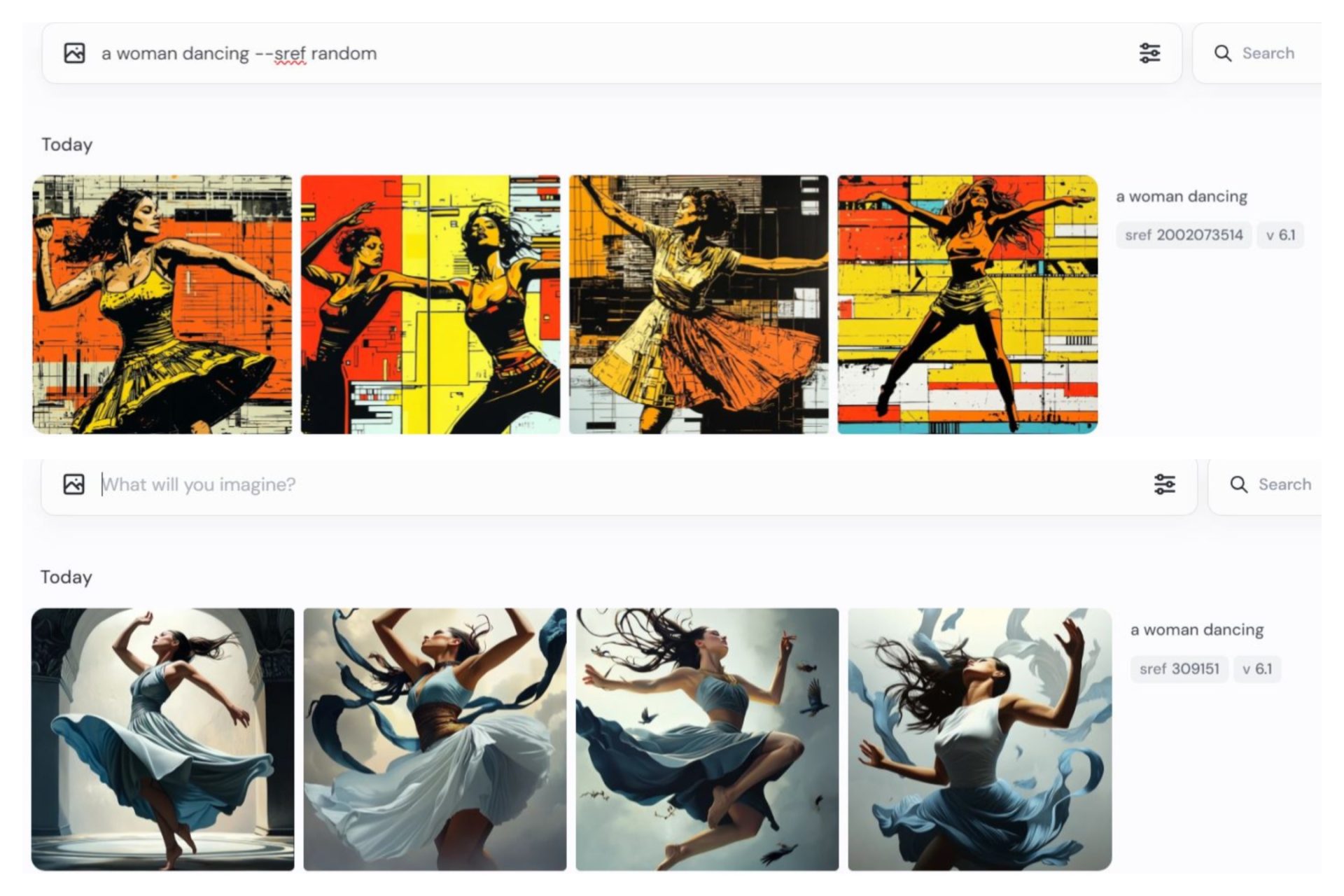 Images Top to Bottom: Image 1 – “a woman dancing –sref random”, Image 2 – Result showing random sref used –sref 309151
Discussing –sref random brings up an important point to be aware of. There seems to be quite a bit of misunderstanding on the internet about the –sref parameter in general. Originally, –sref was primarily created for using a reference image to control the style of the output. This guide on Advanced use of –SREF has a full breakdown on making use of this feature. If you thought using an –sref # was powerful, just wait until you use –sref with reference images and –cref together! Going further down the rabbit whole of creating a personal style, the recent introduction of –p (personalization styles) is an absolute gamechanger. If you’re looking to create a truly personalized style of your own, we cover the process in our Mastering Personalization Styles guide!
Originally –sref was designed to be used with reference images. Shortly after this, the developers added the –sref random feature to allow users to generate a random style rather than one from a reference image URL. This led to users wanting to be able to reuse those styles over and over again. As a result, the codes that we see now were added and the ability to see the style code when using –sref random was introduced. It’s important to realize that every –sref code already has an assigned style, and that we are not creating these styles, we are merely accessing them by adding the parameter. With 4 billion possible style codes though, the need for archives of the best or most interesting styles was born.
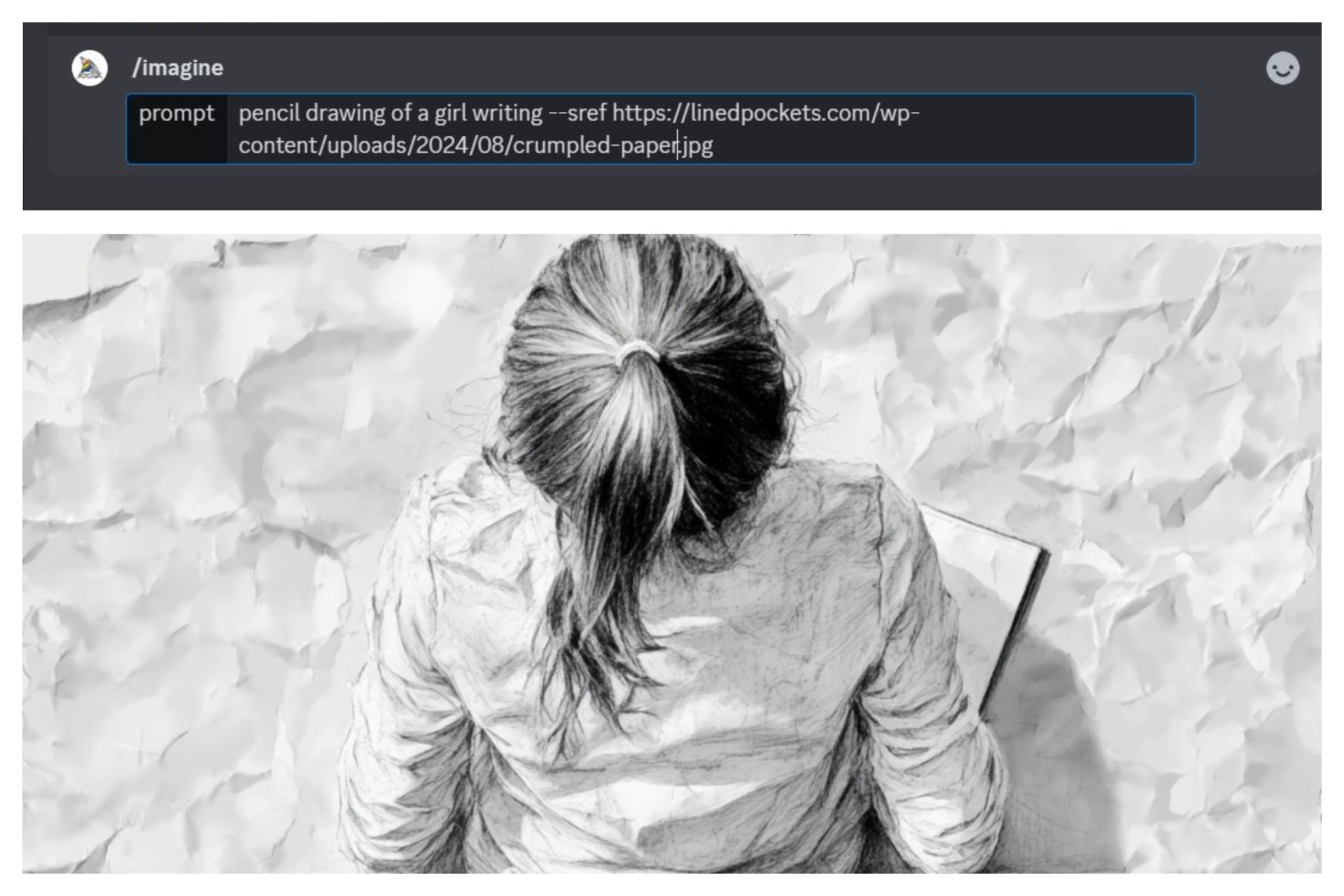 Images Top to Bottom – Image 1 – “prompt using –sref and an image link rather than a #”, Image 2 – “resulting output”
MidJourney’s style reference numbers (–sref) open up a world of artistic possibilities. By understanding how to use them, you can create amazing images tailored to your specific needs. Whether you’re looking to craft a serene watercolor landscape, a gritty cyberpunk cityscape, or anything in between, –sref numbers offer a versatile and accessible way to express your creativity. Happy experimenting, and enjoy your journey through the world of AI art!🎨✨

